
A language for AI to speak UI
Wireweave is an open-source DSL for describing wireframes. Your AI assistant (Claude, GPT) can use our MCP server to generate and render wireframes instantly.
page "Login" centered { card p=6 w=320 { col gap=4 { title "Sign In" level=2 input "Email" type=email input "Password" type=password button "Sign In" primary w=full } }}Try it yourself
Write Wireweave DSL code and see the result instantly
Two Ways to Use Wireweave
Choose the approach that fits your workflow
Self-Hosted
Use the open-source core library locally
npm install @wireweave/core- Unlimited local usage, completely free
- VSCode extension for instant preview
- Integrate directly into your tools (MIT License)
- Full control over your workflow
MCP / API
Connect your AI assistant to Wireweave
- Connect MCP to your AI assistant
- Claude, GPT can call Wireweave tools
- Cloud storage, versioning, sharing
- 1,000 credits/month free
Everything you need for rapid prototyping
Wireweave combines the simplicity of a DSL with the power of AI to make wireframing effortless.
Simple DSL Syntax
Human-readable syntax that AI assistants can generate naturally.
HTML Rendering
Export to HTML with CSS. Use the AST for custom integrations.
VSCode / Cursor Extension
Live preview as you type. Syntax highlighting and auto-completion.
Markdown Integration
Embed wireframes in your documentation with code blocks.
Light & Dark Themes
Light and dark themes out of the box for different viewing preferences.
Parse
Parse Wireweave DSL source code into an AST (Abstract Syntax Tree)
Validate
Validate Wireweave DSL syntax without generating output. Use strict mode to also check for unknown attributes.
Grammar
Get the Wireweave DSL grammar documentation and syntax reference
Guide
Get the comprehensive LLM guide for Wireweave DSL. This is the PRIMARY resource for learning the language - includes syntax, components, patterns, and best practices. Call this FIRST before generating wireframes.
Patterns
Get common layout patterns for wireframes including headers, sidebars, forms, cards, and more. Use these as building blocks.
Cloud List Projects
List all your Wireweave projects. Projects help organize your wireframes. WORKFLOW: Call this first before saving wireframes. If the list is empty, ask the user whether to create a new project (call wireweave_cloud_create_project) or use the default project.
Cloud Create Project
Create a new project to organize wireframes. Use this when the user wants to organize their wireframes into a specific project. The project can have a custom name, description, and color.
Cloud Update Project
Update an existing project
Cloud List Wireframes
List your saved wireframes. Optionally filter by project or tags.
Cloud Get Wireframe
Get a specific wireframe by ID, including its code and metadata
Account Balance
Check your current credit balance and subscription status
Account Subscription
Get detailed subscription information including plan features
Account Transactions
View your credit transaction history
Pricing
Get current pricing information for plans, credit packs, and feature costs
36 MCP tools available
Works in Your Favorite Tools
Preview wireframes directly in VSCode, Cursor, and Markdown documents
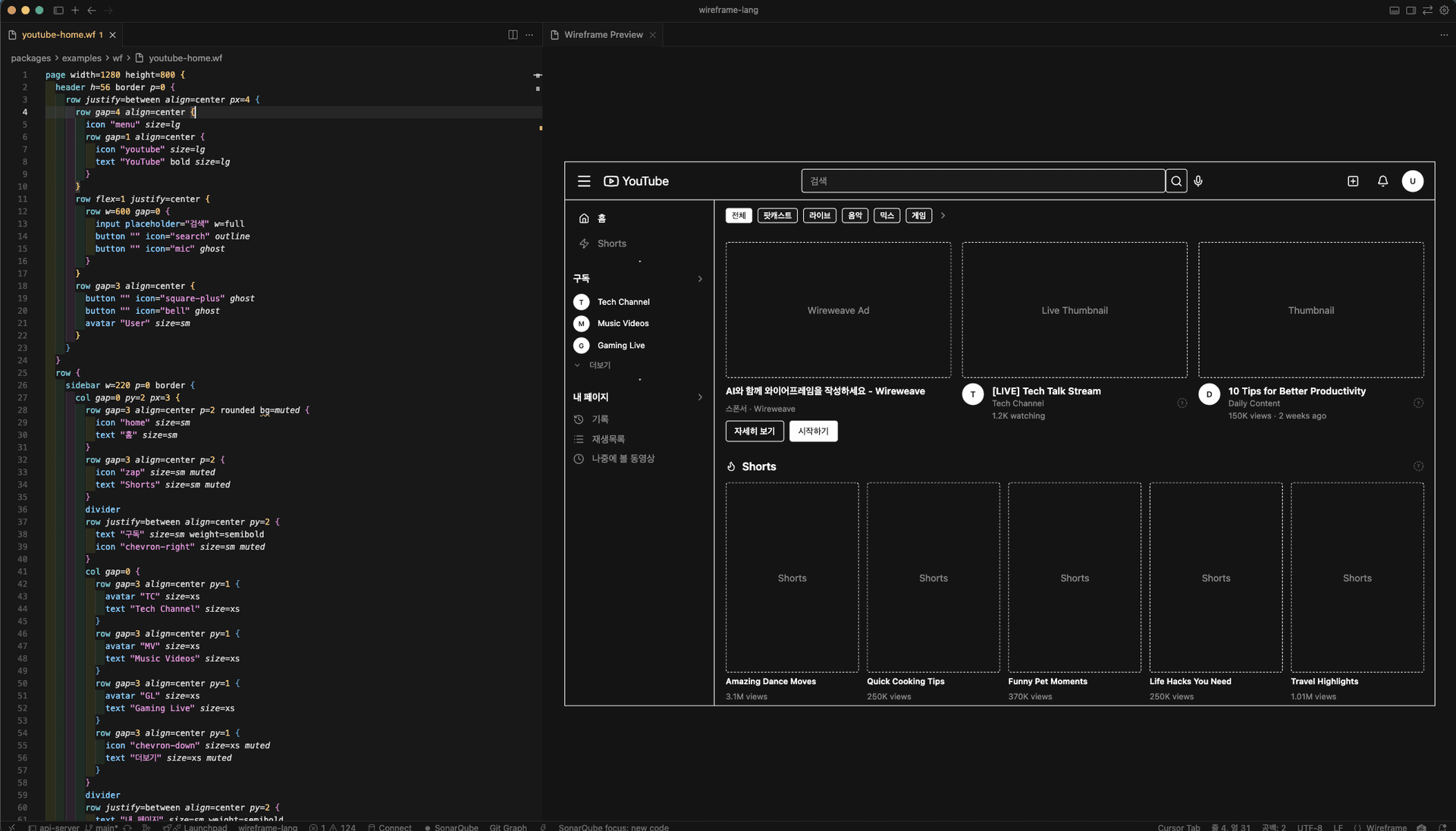
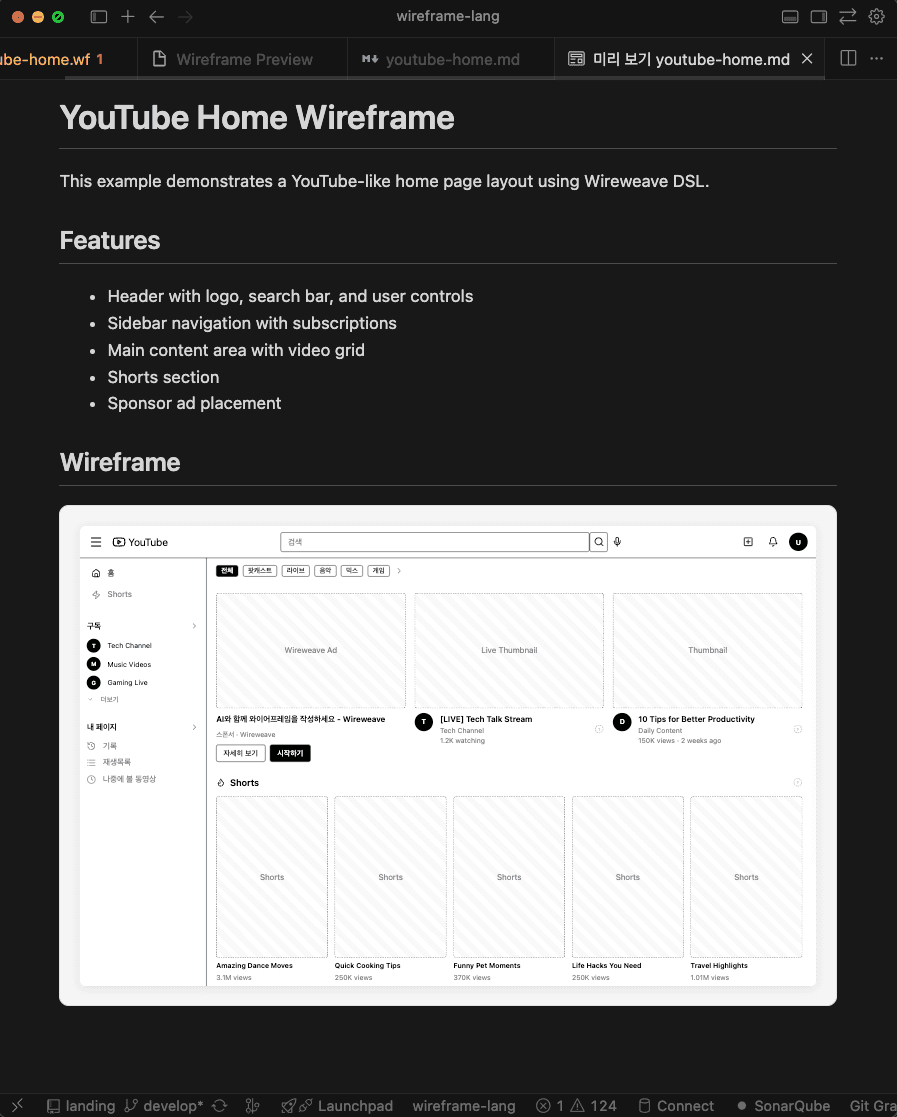
How it works
From code to wireframe in three simple steps.
Write DSL Code
Use simple, readable syntax to describe your wireframe structure.
page "Dashboard" { header h=56 { row justify=between align=center px=4 { text "Dashboard" bold avatar "User" size=sm } } main p=6 { row gap=4 { card p=4 { text "Revenue" muted } card p=4 { text "Users" muted } } }}AI Generates
Claude or other AI assistants can write Wireweave DSL naturally.
Here's a settings wireframe:
page "Settings" {
  card { avatar ... }
}Instant Preview
Get HTML output ready for review and iteration.
Frequently asked questions
Everything you need to know about Wireweave.