
AIがUIを語る 言語
Wireweaveはワイヤーフレームを記述するためのオープンソースDSLです。AIアシスタント(Claude、GPT)がMCPサーバーを通じてワイヤーフレームを即座に生成・レンダリングできます。
page "Login" centered { card p=6 w=320 { col gap=4 { title "Sign In" level=2 input "Email" type=email input "Password" type=password button "Sign In" primary w=full } }}試してみよう
Wireweave DSLコードを書いて、結果を即座に確認
Wireweaveを使う2つの方法
ワークフローに合った方法を選択
高速プロトタイピングに必要なすべて
WireweaveはDSLのシンプルさとAIのパワーを組み合わせ、ワイヤーフレーム作成を簡単にします。
シンプルなDSL構文
AIアシスタントが自然に生成できる読みやすい構文。
HTMLレンダリング
CSS付きHTMLにエクスポート。ASTを使用したカスタム統合も可能。
VSCode / Cursor 拡張機能
入力しながらライブプレビュー。シンタックスハイライトと自動補完。
Markdown統合
コードブロックでドキュメントにワイヤーフレームを埋め込み。
ライト & ダークテーマ
様々な環境に対応するライト・ダークテーマを標準搭載。
Parse
Parse Wireweave DSL source code into an AST (Abstract Syntax Tree)
Validate
Validate Wireweave DSL syntax without generating output. Use strict mode to also check for unknown attributes.
Grammar
Get the Wireweave DSL grammar documentation and syntax reference
Guide
Get the comprehensive LLM guide for Wireweave DSL. This is the PRIMARY resource for learning the language - includes syntax, components, patterns, and best practices. Call this FIRST before generating wireframes.
Patterns
Get common layout patterns for wireframes including headers, sidebars, forms, cards, and more. Use these as building blocks.
Cloud List Projects
List all your Wireweave projects. Projects help organize your wireframes. WORKFLOW: Call this first before saving wireframes. If the list is empty, ask the user whether to create a new project (call wireweave_cloud_create_project) or use the default project.
Cloud Create Project
Create a new project to organize wireframes. Use this when the user wants to organize their wireframes into a specific project. The project can have a custom name, description, and color.
Cloud Update Project
Update an existing project
Cloud List Wireframes
List your saved wireframes. Optionally filter by project or tags.
Cloud Get Wireframe
Get a specific wireframe by ID, including its code and metadata
Account Balance
Check your current credit balance and subscription status
Account Subscription
Get detailed subscription information including plan features
Account Transactions
View your credit transaction history
Pricing
Get current pricing information for plans, credit packs, and feature costs
35 MCP tools available
お気に入りのツールで使える
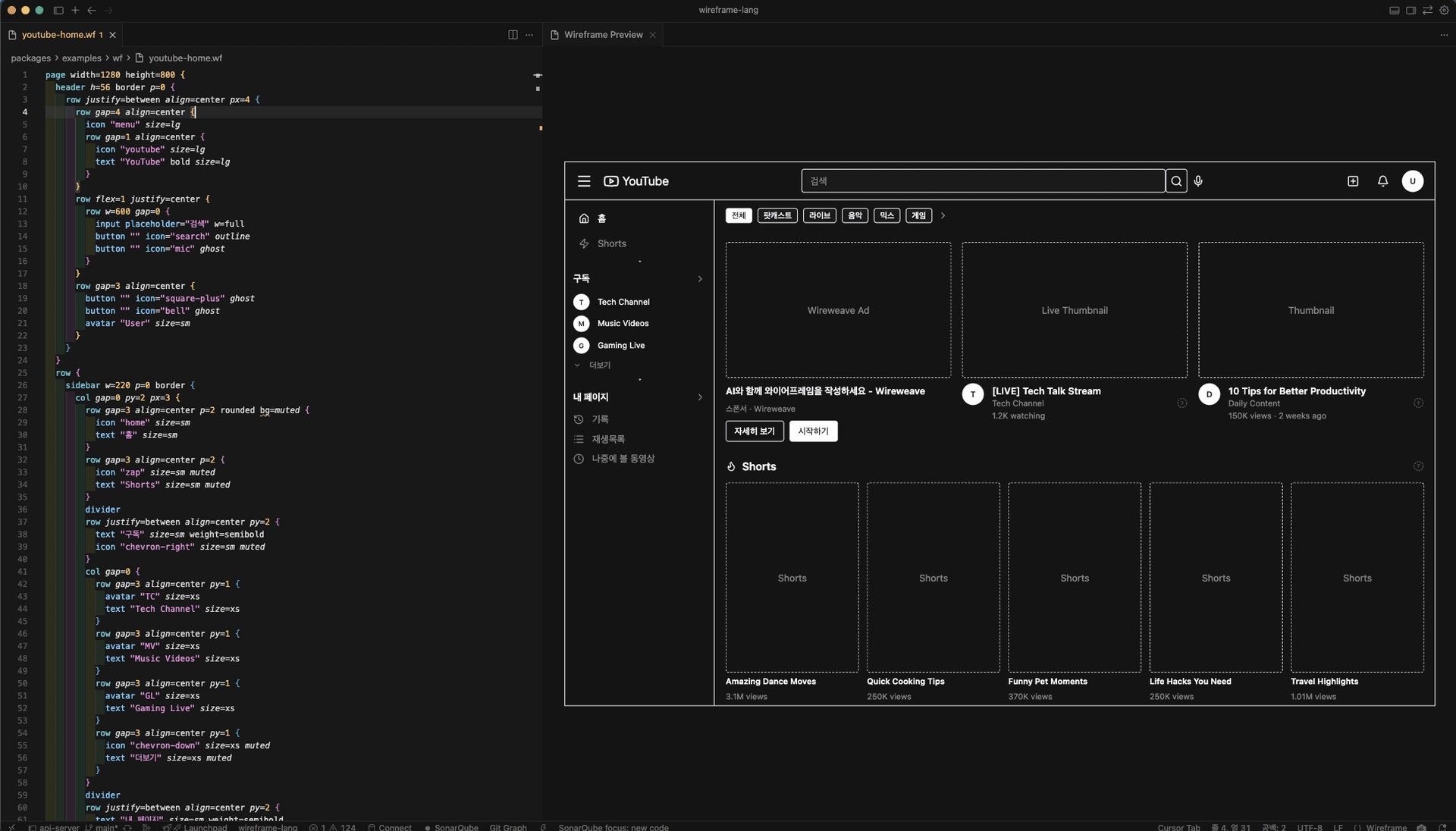
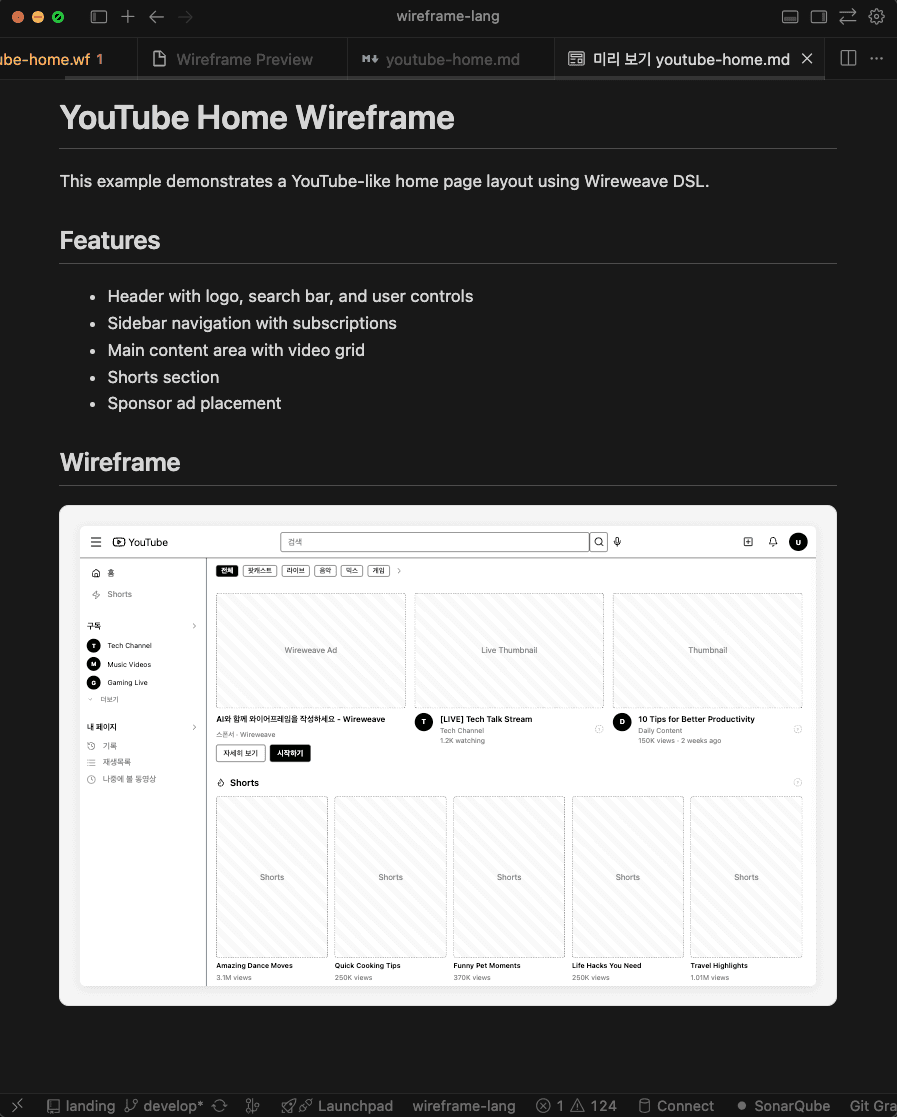
VSCode、Cursor、Markdownで直接ワイヤーフレームをプレビュー
使い方
コードからワイヤーフレームまで3つのステップ。
DSLコードを書く
シンプルで読みやすい構文でワイヤーフレーム構造を記述します。
page "Dashboard" { header h=56 { row justify=between align=center px=4 { text "Dashboard" bold avatar "User" size=sm } } main p=6 { row gap=4 { card p=4 { text "Revenue" muted } card p=4 { text "Users" muted } } }}AIが生成
Claudeや他のAIアシスタントがWireweave DSLを自然に書くことができます。
設定のワイヤーフレームです:
page "Settings" {
  card { avatar ... }
}即座にプレビュー
レビューと反復のためのHTML出力をすぐに取得。
よくある質問
Wireweaveについて知っておくべきすべて。